
Guide
Navimow Replacement Blades: Which Fit i105, i110, i210 and X4, and When to Change Them
Updated 3 November 2026
Picks are based on manufacturer specs, owner reports and expert sources, linked below.
Navimow says to replace the blades after about 80 hours of mowing, on the i1 series (i105N, i110N), the i2 LiDAR and the X4 series alike. Navimow US lists the Blade Assembly Plus at $23.99 and a full cutting disk at $39.99 to $89.99 depending on the series. Blades are consumables and are not covered by the warranty, so budget for a few sets a season.
How often do Navimow blades need changing?
About every 80 hours of mowing, according to Navimow's own support pages. The i1 series page says the blades normally need replacing after 80 hours of work, and the i2 LiDAR and X4 pages use the same figure. It is a typical value, not a hard limit.
You do not have to count hours yourself. In the Navimow app, go to Settings, then the mower's maintenance section, then Part Maintenance. It shows maintenance and replacement suggestions for the blades and other parts.
How long 80 hours lasts depends on your lawn. A mower that runs a few hours a day on a quarter-acre lawn gets through it in a few weeks of peak season. A small lawn on a light schedule can take most of a season. Replace sooner if the grass tips look torn and brown, the mower sounds rough, or a blade is nicked or bent.
Navimow also says the blades are thin and disposable, so it recommends replacing them rather than sharpening. Replace the full set on the disk together so it spins in balance.
Which Navimow blades and cutting disk do I need?
Navimow's US model-comparison page lists these parts under each series (prices checked on 30 October 2026 and subject to change):
| Series | Models | Blade Assembly Plus | Cutting disk |
|---|---|---|---|
| i1 | i105N, i110N | $23.99 | $39.99 (Cutting Disk for i1 Series) |
| i2 AWD | i206 AWD, i210 AWD | $23.99 | $39.99 (Cutting Disk for i2 AWD) |
| i2 LiDAR | i215 LiDAR | $23.99 | $49.99 (Cutting Disk for i2 LiDAR) |
| X4 | X430, X450 | $23.99 | $89.99 (Anti-clogging Cutting Disk, 2-pack, for X4 Series) |
The Blade Assembly Plus is what you change on schedule. The cutting disk is the plate the blades pivot on: you only need one if the disk itself is cracked, bent or worn at the pivot points. The same accessory pages list the blades under each series, but we cannot confirm from the page whether the part is identical across series, so order from your own model's page.
Independent spec sites report that the i110N cutting disk carries three razor-style blades, while the i210 AWD disk has five pivoting blades. Navimow does not state the blade count on the pages we checked, so treat the numbers as a guide and match the part to your model.
Navimow also offers a monthly subscription, Navimow Flex (listed at $100 a month on the i105 page), whose perks include annual blade replacements. Compare that with the $23.99 a set before you subscribe for the blades alone.
How do I change the blades?
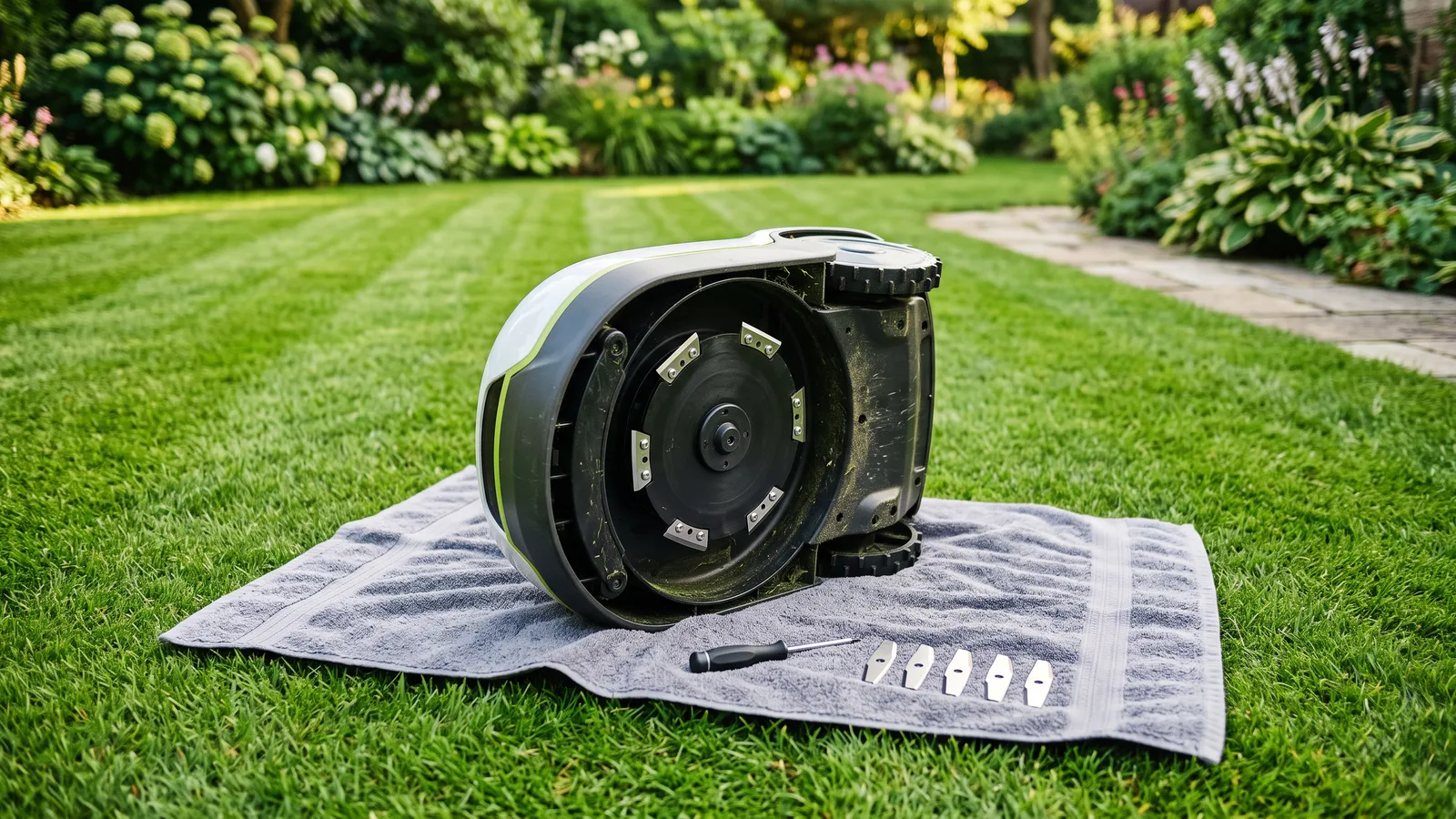
You loosen and tighten a screw per blade. Navimow publishes a video for the X4 series on its UK support page; for the other series, follow your model's manual. The general steps are:
- Stop the mower and lift it off the lawn. Wear cut-resistant gloves.
- Turn it over onto a soft surface.
- Undo each blade screw, take off the old blade and fit the new one so it still pivots freely.
- Tighten the screw, spin the disk by hand and check nothing rubs.
If the disk feels slightly loose, Navimow's i2 LiDAR support page explains that a little play comes from the height-adjustment mechanism. Anything more than that is worth a call to support.
Is it worth buying the cheapest third-party blades?
Navimow's warranty does not cover blades either way, so the risk is mainly fit and cutting quality. A blade that does not match the pivot or thickness can cut poorly or leave the disk out of balance. If you buy non-Navimow blades, match them to your exact model and look for sellers who state the model fit, not only the brand.
What else wears out on a Navimow?
Blades are the cheap part. Over the years the bigger items are the battery and the wheels. Navimow lists a 5.1 Ah replacement battery for the i210 AWD at $199.99. If you are still choosing a model, running costs are part of the decision: see our best robot mower for 1/4 acre and the Navimow i210 AWD review. Running a Mammotion instead? See Mammotion LUBA 3 and YUKA mini 2 blades.
Not sure which one fits your lawn? Answer 6 quick questions and get 3 matches across every brand.
Start the finder →
Mowers we recommend
Best Robot Mower for 1/4 Acre (10,890 sq ft) →
- Segway Navimow i210 AWD
10,760 sq ft · 45% slopes · Mid-range
- Ecovacs GOAT O1000 LiDAR PRO
10,760 sq ft · 45% slopes · Mid-range
- Mammotion LUBA mini 2 AWD 1500
0.37 acres · 80% slopes · Mid-range
FAQs
How often should I replace Navimow blades?
Navimow's support pages for the i1, i2 LiDAR and X4 series all say to replace the blades after about 80 hours of mowing. The app's Part Maintenance screen tracks the hours and prompts you. Heavy, wet or sandy grass wears blades faster, so check them by eye as well.
Can I sharpen Navimow blades?
No. Navimow describes the blades as thin and disposable, so you swap them rather than sharpen them. Replace the whole set at once so the cutting disk stays balanced.
Are replacement blades covered by the Navimow warranty?
No. Navimow's warranty policy treats blades as consumables, so wear is not covered. The mower itself carries a 3-year warranty on the US store.
Do the i105, i110 and i210 use the same blades?
Navimow lists the Blade Assembly Plus under the i1, i2 AWD, i2 LiDAR and X series accessory pages, but the cutting disk is a separate part with different prices per series. Do not assume one blade set fits every model: pick the part from your own model's accessory page, or check with Navimow support before you order.
Sources
- Navimow US: model comparison page (accessory lists and prices per series, checked 30 Oct 2026)
- Navimow: Support for i1 Series (blades replaced after about 80 hours; Part Maintenance in the app)
- Navimow: Support for i2 LiDAR (blades typically replaced after 80 hours)
- Navimow UK: Support for X4 Series (blades typically replaced after 80 hours)
- Navimow: How to sharpen lawn mower blades (robot blades are thin and disposable)
- Navimow: Limited Warranty Policy (blades are consumables)
Find the right mower for your lawn
Answer 6 quick questions and get 3 honest matches across every brand.
Mowers we recommend
Segway Navimow i210 AWD